
Manage inventory and orders across your Shopify stores
Separate Shopify stores for different regions, brands or wholesale often sell the same items from one warehouse. Orvendory connects each store, links the variants they share, passes stock changes between them and shows every order with the store it came from.
Orvendory's Shopify app is in Shopify's App Store review, so your stores cannot install it yet. A demo shows the workflow on our test stores.
Canvas Tote / Natural
Illustration with example values. Not a screenshot.UK store
Shopify
Sells one
Orvendory
One count for the variant
Records minus one
EU store
Shopify
Receives minus one
Every store is its own island
One admin per store
Checking stock or this morning's orders means switching from one store's admin to the next, each with its own login and tabs.
Shopify keeps inventory per store
A sale in one store does not lower the quantity in the other, even when both sell from the same shelf.
Shared products drift apart
The same item ends up with a different count in each store, and nobody is sure which number is right.
Example: two Shopify stores sharing one product
A merchant runs a UK store and an EU store. Most products are only in one of them, but Canvas Tote in Natural is in both and comes from one stock of 10.
Connect both stores
Each store is connected separately and its products are imported. Products that only one store sells are imported too and stay on that store.
Link the shared product
When the EU store's import finds Canvas Tote, which Orvendory already has from the UK store, it lists it for review. Merge links the two, variant by variant, by SKU.
A sale in one store
The UK store sells one tote. Shopify lowers that store's quantity to 9 and notifies Orvendory, which records a movement of minus one and lowers the EU store's quantity to 9 as well.
The order keeps its store
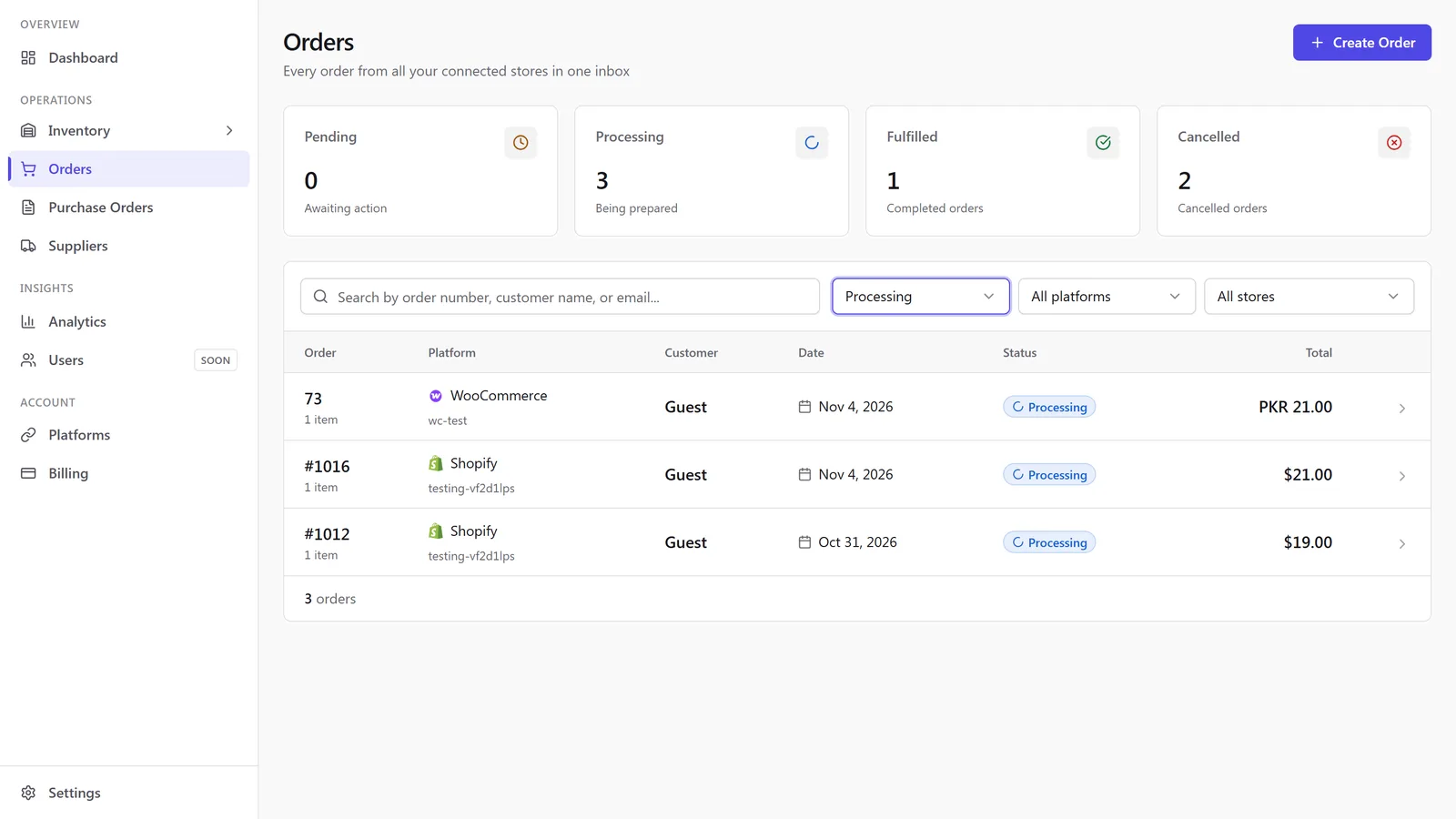
The order appears in Orvendory's order list with the UK store's name. The store filter shows one store's orders at a time, or all of them together.
The screens below come from Orvendory with our test stores: one Shopify and one WooCommerce store, not two Shopify stores. With two Shopify stores, each order shows its own store's name in the same column.
How stock moves between your Shopify stores
- Orvendory keeps one count for each shared variant. A sale in any store is applied to that count, and then to every other store the variant is linked on.
- Each store tells Orvendory about its own changes through webhooks. Orvendory does not wait for a scheduled poll.
- Changes travel as movements, not as overwritten totals, so sales in two stores at about the same time are both subtracted.
- Orvendory does not reserve stock across stores. Two stores can each sell the last unit before either update arrives.
- A variant that only one store sells is never sent to the other store unless you push it there.
Day-to-day work across stores
Orders labelled by store
Every order carries the name of the store it came from. Filter by store, or see them all together, and create, edit or cancel an order from Orvendory.
One catalogue, store by store
Products that every store sells and products only one store sells live in the same catalogue. Push a product to another store when you want to sell it there.
Edits sent to every store
Edit a product in Orvendory and the fields you changed are sent to each store it is on. An edit made in one store's admin stays on that store.
Low stock, counted once
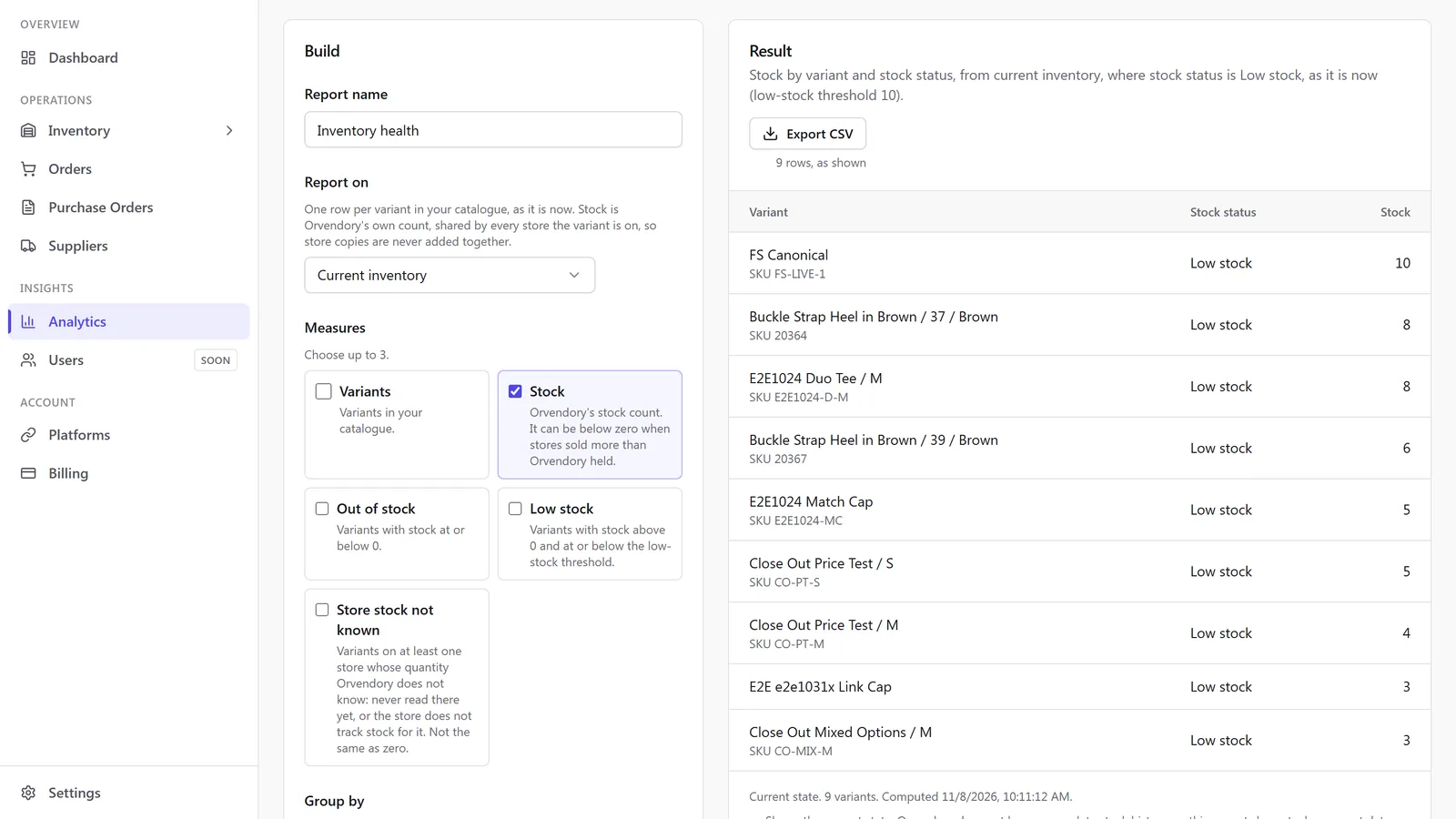
The Inventory health report lists variants at or below your low-stock threshold, using one count per shared variant rather than adding up every store's copy.
Purchase orders for the shared warehouse
Receiving goods against a purchase order adds the stock once and sends it to every store the variant is linked on.
Setup and limits
What you need
- Each store connects separately through Orvendory's Shopify app, once Shopify has approved it.
- The number of stores you can connect depends on your plan. See pricing for the current limits.
What to know before you start
- Stock is read and written at one location per store, the first location Shopify returns. Stores that split stock across several locations are not supported.
- There is no combined customer list. Each order keeps the customer details its own store sent.
- Only stock travels between stores. Titles, prices and descriptions edited in one store's admin stay on that store.
- Orders placed before a store was connected are not imported.
Questions
Do I need Shopify Plus?
No. Orvendory does not ask for Shopify Plus. It connects to each store as an app and uses Shopify's product, inventory and order APIs.
Does Orvendory merge customers across my stores?
No. Each order keeps the customer details that its store sent, and Orvendory has no shared customer list across stores.
My stores keep stock in more than one location. Will that work?
Not yet. Orvendory reads and writes stock at one location per store, the first location Shopify returns. If your stores split stock across locations, tell us when you request a demo.
Can each store keep its own prices?
Yes, if you set them in each store's admin: those edits stay on that store, and Orvendory shows them as differences. An edit made in Orvendory goes to every store the product is on.
Can I connect my stores today?
Not yet. Orvendory's Shopify app is in Shopify's App Store review. Request a demo to see the workflow on our test stores.
Bring your Shopify stores into one view
Tell us how many stores you run and how many products they share, and we will walk you through Orvendory on our test stores.
Orvendory's Shopify app is in Shopify's App Store review, so your stores cannot install it yet. A demo shows the workflow on our test stores.
No mail app? Write to [email protected]