
Manage inventory across multiple WooCommerce stores
Each WooCommerce store is its own WordPress site with its own database, so a sale on one never reaches the others. Orvendory connects each site separately, links the products and variations they have in common and moves stock changes between them.
WooCommerce stores can be connected today. We start with a demo so we can check your stores' setup with you before you connect them.
Linen Shirt / M (LS-M)
Illustration with example values. Not a screenshot.Retail store
WooCommerce
Admin edit, 12 to 20
Orvendory
One count for the variant
Records plus 8
Trade store
WooCommerce
Receives plus 8
Separate WordPress sites, one stockroom
Nothing is shared between installs
Every store has its own admin, plugins and product IDs. WooCommerce has no built-in way for two sites to share a stock count.
Copying stock by hand goes stale
Updating quantities by hand, or with periodic CSV imports, leaves the numbers wrong in between.
Orders arrive in different dashboards
Seeing the day's sales for one product means logging in to each site in turn.
Example: a retail store and a trade store
A merchant runs a retail store and a separate trade store for wholesale buyers, on two WordPress sites. Linen Shirt is a variable product on both, with sizes S, M and L and the same SKUs: LS-S, LS-M and LS-L.
Connect each store
Enter the store's address in Orvendory. WooCommerce shows its own approval screen; approving it gives Orvendory an API key for that store. Orvendory imports the products and sets up webhooks on the store; the store's card says while that is in progress, and tells you if it could not be done.
Link the shared shirt
The trade store's import finds Linen Shirt, which Orvendory already has from the retail store, and lists it for review. Merge links each variation to its counterpart by SKU.
Restock on one store
Someone changes size M from 12 to 20 in the retail store's admin. WooCommerce reports the change, Orvendory records plus 8, and sends plus 8 to the trade store, which goes from 12 to 20 as well.
Orders stay labelled
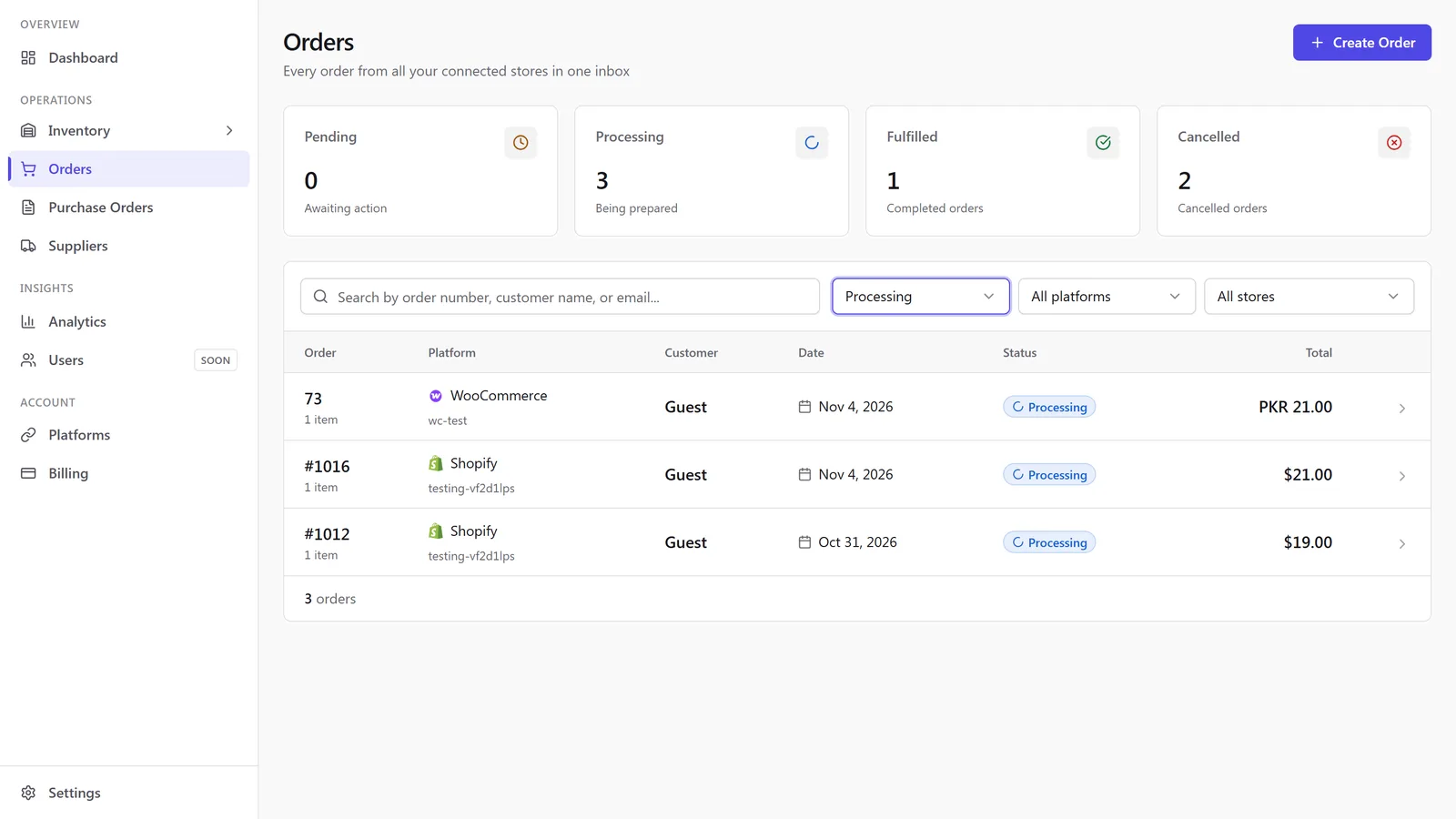
An order from the trade store appears in the same list as retail orders, with the trade store's name. Edit or cancel it in Orvendory and the change goes back to the trade store.
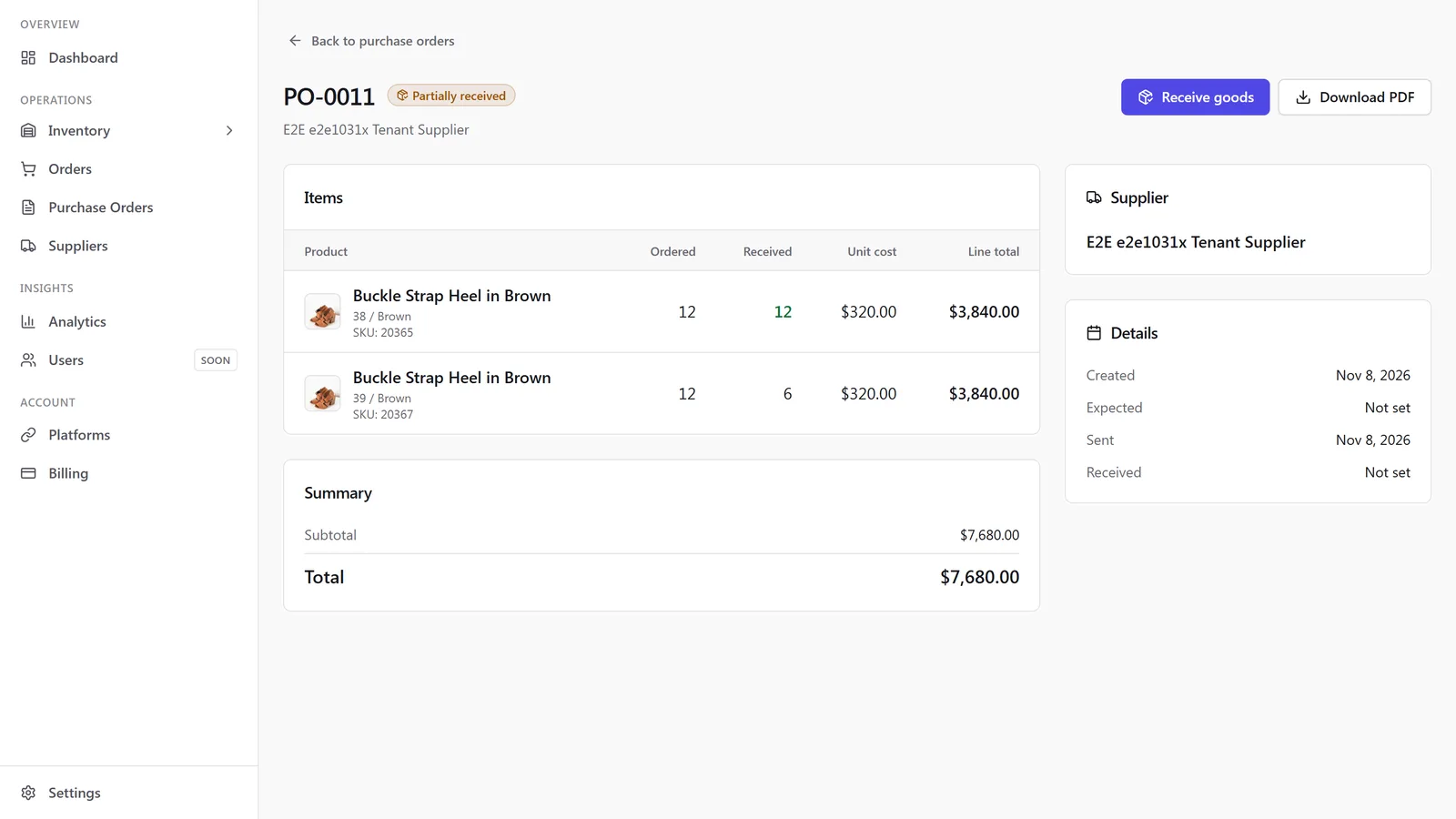
The screens below come from Orvendory with our test stores: one WooCommerce and one Shopify store, not two WooCommerce stores. They show the purchase order and order screens a WooCommerce merchant uses.
How stock moves between your WooCommerce stores
- Each store sends its product changes to Orvendory through WooCommerce webhooks, which Orvendory sets up when the store connects. Every delivery is checked against a signing secret unique to that store.
- Orvendory applies a stock change as a movement on its own count, then sends the same movement to the other stores the variation is linked on. It never sends an absolute quantity that could overwrite a sale in between.
- If a store cannot be reached, the change stays applied in Orvendory and is retried for that store. If it still cannot be confirmed, the product page says so and Orvendory waits for you to choose the right quantity.
- Orvendory does not reserve stock across stores. Two stores can each sell the last unit before either update arrives.
What changes for your stores
No plugin on your sites
Orvendory uses WooCommerce's own REST API and approval screen. Nothing is installed on your WordPress sites.
Variations linked by SKU
Shared products are linked variation by variation, so stock for size M only ever moves to size M.
Orders by store
Orders from every site in one list, each with its store's name, with filters by store. Create, edit or cancel an order and the change goes to its store.
Purchase orders and receiving
Receive goods against a purchase order once, and the stock is added in Orvendory and sent to every store the variation is on.
Low stock across sites
The Inventory health report lists variations at or below a low-stock threshold, from one count per variation.
Setup and limits
What you need
- Each store served over HTTPS.
- Approval from a WordPress account with the Administrator or Shop manager role. Orvendory works through that account's access to products and orders.
- WooCommerce sends webhooks through its scheduled tasks (Action Scheduler, run by WP-Cron). If scheduled tasks are switched off or seldom run on your host, updates reach Orvendory late.
- Your host and security plugins must allow WooCommerce's REST API and its webhooks.
What to know before you start
- Simple and variable products are supported. Grouped and external products, and product types added by extensions such as bundles or subscriptions, have not been tested.
- We have not tested every WordPress plugin or hosting setup. If a plugin manages your stock, mention it when you request a demo.
- Only stock travels between stores. Titles, prices and descriptions edited in one store's admin stay on that store.
- Orders placed before a store was connected are not imported.
Questions
Do I need to install a plugin on each store?
No. You approve Orvendory on WooCommerce's own approval screen, which creates an API key for it. Orvendory then sets up the webhooks it needs itself.
Do my stores need the same SKUs?
For products with several variations, yes: Merge links variations by SKU, and refuses if any variation cannot be matched, so nothing is linked by mistake. A simple product, one with no variations, can be linked to its counterpart without a SKU.
Two of my stores are in subfolders of one domain. Does that work?
Yes. Each store connects by its own address, and example.com/shop-a and example.com/shop-b are treated as two separate stores.
What happens if one store is offline when stock changes?
The change stays applied in Orvendory and is retried for that store. If Orvendory still cannot confirm it, the product page shows the problem and stock updates for that variation on that store pause until you choose the right quantity.
How do I get started?
Request a demo. We will look at your stores' setup with you, including any plugins that manage stock, before you connect them.
Check your WooCommerce stores with us
Tell us how many stores you run and which plugins manage your products or stock, and we will show you how Orvendory would fit.
WooCommerce stores can be connected today. We start with a demo so we can check your stores' setup with you before you connect them.
No mail app? Write to [email protected]